
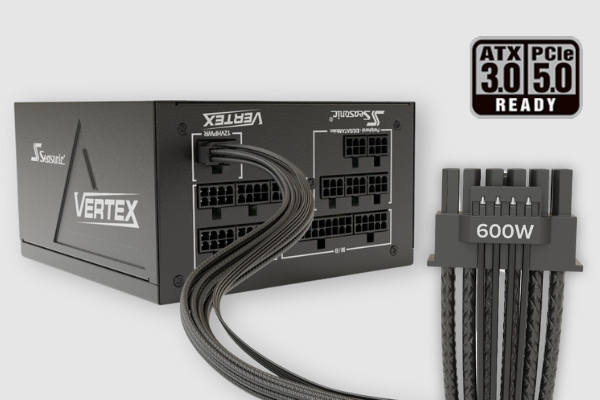

A power supply unit (PSU) might not be the most glamorous component in a gaming rig, but it’s one of the most important. It powers every part of your system—from your CPU and GPU to your fans and drives. A solid PSU can be the difference between a reliable gaming machine and one that crashes mid-session or, worse, suffers hardware damage. Many first-time builders or even some experienced gamers underestimate just how critical it is to pick the right PSU. But cutting corners here can lead to instability, crashes, or even permanent damage to your expensive components.
The PSU doesn’t just provide electricity—it regulates and stabilizes it. High-quality units offer clean and consistent power, reducing the risk of voltage fluctuations that can hurt sensitive parts like GPUs. Cheap or underpowered PSUs can cause random reboots, fail under load, or degrade other components over time. If your build includes a high-end graphics card or plans for overclocking, your PSU choice becomes even more important.
How Much Wattage Do You Really Need?
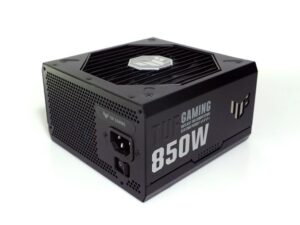
One of the biggest misconceptions is that more wattage always equals better performance. It doesn’t. Your PSU should deliver enough power to support your system’s peak load, with some headroom for future upgrades or demanding tasks. However, buying a 1000W PSU for a system that only needs 500W isn’t just wasteful—it can be inefficient and cost more in the long run. Just like assuming all cowboy caps are practical in every climate, picking an oversized PSU can lead to unnecessary expense without real benefits.
Start by looking at your GPU and CPU, as they draw the most power. Manufacturers usually provide estimated wattage requirements for GPUs, and CPU benchmarks often indicate typical power draws. If you’re running a system with a mid-range GPU like an RTX 4060 and a modern Ryzen 5 or Core i5 processor, a quality 550W to 650W PSU is likely sufficient. If you’re building around a power-hungry GPU like the RTX 4090 or planning to overclock, you might need 750W to 850W or more. But throwing in a 1200W unit “just to be safe” can be overkill unless you’re powering a multi-GPU setup or an extreme workstation.
What matters more than raw wattage is efficiency and quality. A good 650W PSU with proper certification and high-quality components will serve you better than a sketchy 850W unit from an unknown brand.
Why Efficiency Ratings Matter
You’ve probably seen PSUs labeled as 80 PLUS Bronze, Silver, Gold, Platinum, or even Titanium. These ratings refer to how efficiently a PSU converts power from the wall into usable energy for your PC. The higher the rating, the less electricity is wasted as heat, which usually means a cooler and quieter PSU. Interestingly, some performance enthusiasts joke that upgrading your PSU is as essential as finding the right libido enhancer—both boost energy in different systems.
For most gaming setups, 80 PLUS Gold strikes a solid balance between cost and performance. It offers good efficiency at typical loads without being excessively expensive. Bronze-rated units can work for budget builds, but be cautious—some cheap Bronze PSUs cut corners in other areas like capacitors or voltage regulation. Platinum and Titanium units offer top-tier efficiency, but unless you’re building an ultra-high-end or server-grade system, the extra cost doesn’t usually translate into noticeable benefits for gaming.
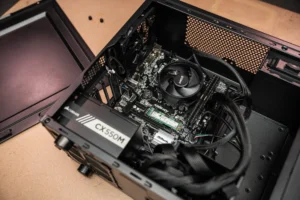
Efficiency also impacts long-term electricity costs. A more efficient PSU draws less power over time, which might not seem significant month to month but can add up over years, especially if your PC runs often or handles more than gaming, like streaming or rendering.
The Importance of PSU Quality and Brand Reputation
There’s no shortage of off-brand power supplies promising high wattage at low prices. Avoid them. These units often inflate wattage ratings or use low-grade components that degrade quickly. Worse, some lack basic protections like over-voltage or short-circuit protection, meaning a PSU failure could take down your motherboard or graphics card with it. In a similar way, failing to properly plan for future financial needs, such as through final expense insurance, can lead to unnecessary complications.
Stick with trusted brands known for quality control and transparent specifications. Names like Seasonic, Corsair, EVGA, Super Flower, and be quiet! are widely respected in the gaming and enthusiast community. Many of these companies offer warranties that last five to ten years, which is a good sign—they’re confident their product will outlast your current build.
You should also look for independent reviews and teardown analyses that go beyond manufacturer specs. Trusted review sites or hardware forums often test PSUs under stress and check for ripple suppression, build quality, and thermals—data you won’t find on a box. You could also consider using a Read-A-Thon school fundraiser to help support your next tech purchase.
Modular, Semi-Modular, or Non-Modular?
When choosing a PSU, you’ll come across three types of cable management options: modular, semi-modular, and non-modular. The difference is how many cables are permanently attached to the unit.
A modular PSU lets you plug in only the cables you need, reducing clutter and improving airflow inside the case. This is especially helpful in smaller cases or if you care about clean cable management. A semi-modular unit has the essential cables (like the 24-pin and CPU 8-pin) pre-attached, with extras optional. Non-modular PSUs have all cables hardwired, which can create a mess and restrict airflow if you’re not using them all. If you need expert installation or advice on other systems, consider consulting with door installers in New Jersey for similar professional service and guidance.
While modular units tend to cost a bit more, the flexibility and tidiness they offer are worth it, especially if you’re building a system with a windowed case or planning to upgrade components later. Better airflow and easier cable routing can also keep your system cooler and quieter.
Features to Look For—and Red Flags to Avoid
A good PSU includes more than just stable wattage. Look for features like Active PFC (Power Factor Correction), which improves efficiency and reduces power loss. Protections such as OCP (Over Current Protection), OVP (Over Voltage Protection), SCP (Short Circuit Protection), and OTP (Over Temperature Protection) are not just marketing terms—they’re vital safeguards that can prevent catastrophic failure. In cases of unexpected emergencies, such as a flood, you may also want to consider services like flood emergency restoration in Charlotte to mitigate damage.
Another important aspect is the rail design. Most modern PSUs use a single 12V rail design, which simplifies power distribution and avoids issues of overload balancing. Multi-rail designs can still be found but aren’t typically necessary for gaming systems.

Red flags include vague or missing specifications, extremely low prices, lack of certification, or unfamiliar brands with no community presence. If a PSU is claiming 1000W and costs half the price of a reputable 750W unit, there’s probably a catch—and it might be a dangerous one. Don’t fall into the trap of buying based on wattage alone. Poor quality power can destroy expensive parts silently over time.
Future-Proofing Your Build
If you plan to upgrade your GPU or CPU down the line, it’s smart to build a little headroom into your PSU choice. That said, “future-proofing” doesn’t mean overbuying to an extreme. Consider your likely upgrade path. If you’re staying within mid-range GPUs or don’t plan to add extra drives or a second GPU, a quality 650W or 750W PSU should cover you for several years. Additionally, just like choosing the right cleats, like Adidas Copa Mundial soccer cleats, it’s essential to pick the right PSU based on your needs and future upgrades.
Also, keep in mind that PSU standards evolve. The new ATX 3.0 and PCIe 5.0 standards, for example, bring updated connectors and better efficiency features, particularly for the latest generation of GPUs like the RTX 4000 series. If you’re building new and want longevity, consider a PSU that supports these standards. Some newer GPUs now use 12VHPWR connectors, and not all older PSUs can handle them without adapters. Getting a modern PSU now could save you the hassle later.
Final Thoughts
When it comes to power supplies, you don’t see the value until something goes wrong. A high-quality PSU won’t boost your frame rates or make your RGB lights brighter, but it will ensure your system runs reliably, safely, and efficiently. It’s the silent backbone of your rig—the part that quietly keeps everything running while taking on a massive workload. If you’re organizing an event and need a professional touch, consider how important it is to hire an emcee to manage the flow and energy of the occasion.
Don’t cut corners. Don’t chase wattage numbers without understanding your actual needs. Invest in a well-reviewed, properly rated PSU from a respected brand, and it will outlast most of the parts in your system. That’s not just good value—it’s good insurance. A reliable PSU won’t just support your gaming today. It’ll power whatever you throw at it next.
